Internal Trade Crossing Workflow
Save on fees and liquidity costs with Intelligent Automation
Multi-manager funds face high trading fees and liquidity costs when orders on the same positions are executed on the open market. Additionally, manual processes involved in crossing trades internally can be time-consuming and prone to errors.
Everysk offers an automated solution for internal cross trading using a series of specialized robots that streamline and optimize the process. By connecting with client’s OMS, checking open orders for potential crosses, and running them through a crossing engine, Everysk suggests internal trades using the best bid-ask spread available, summarizes crosses to get trader approval and assists with any remaining post processing for staging remaining orders.
This automated internal trade crossing solution enables asset managers to achieve greater cost efficiency, operational effectiveness, and flexibility in their trading processes.
Explore the workflow in detail below.
Comprehensive Review
Internal Trade Crossing Workflow
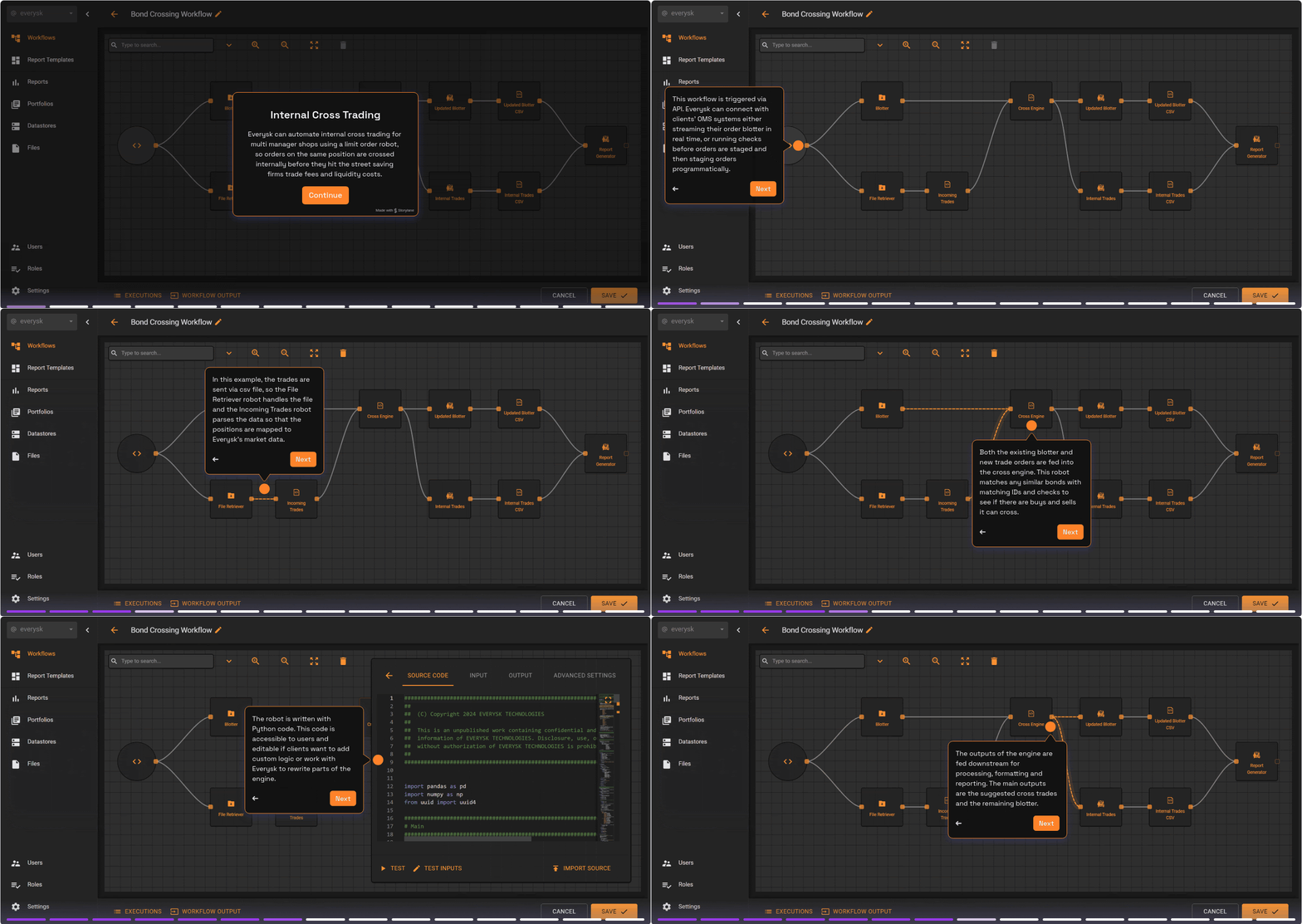
Asset managers utilize a Limit Order Robot for greater cost efficiency and operational effectiveness. Keep reading to see all the robots that power the workflow.
API Starter / Order Blotter
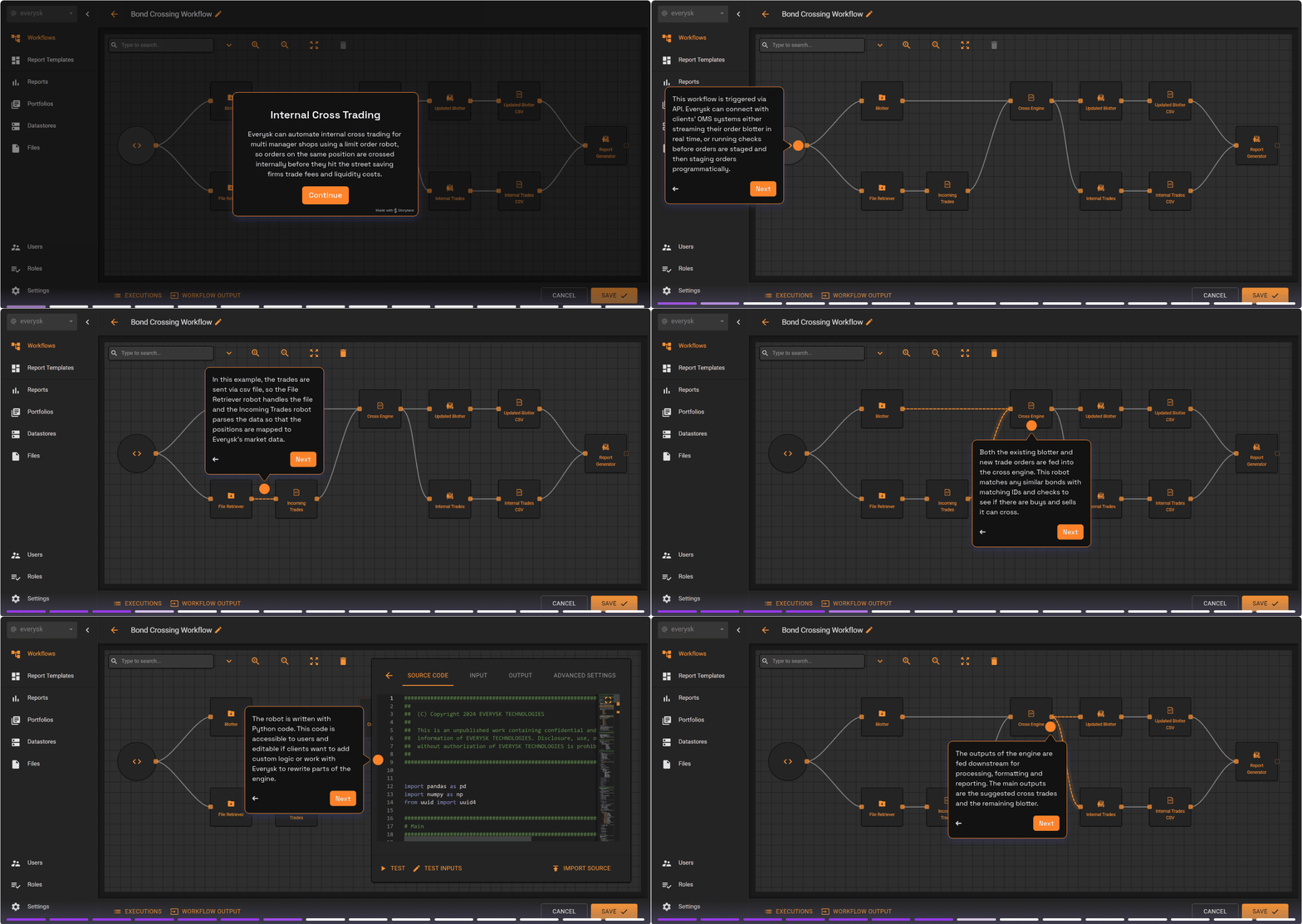
This workflow is triggered via API. Everysk connects with clients’ OMS systems either streaming their order blotter in real time, or running checks before orders are staged and then staging orders programmatically.
Trade Parser
Trades are sent via csv file. The Trade Parser robot parses the incoming orders so that the positions are mapped to Everysk’s market data and matched with any existing orders in the blotter.
Limit Order Robot
The Limit Order Robot utilizes Everysk’s Crossing Engine. This robot matches any similar bonds with matching IDs and checks to see if there are buys and sells it can cross. This robot takes the prices, limits and quantity of all orders into account, and crosses orders using the best bid-ask spread available, executing at the mid price. It records the P&L to each PM associated with the trade, and the remaining quantities left to fulfill with the market.
Trades to CSV
The outputs of the engine are the suggested cross trades and the remaining blotter. These outputs are saved in csv files for sharing and review by approvers.
Report Generator
The report generator uses a customizable template to summarize the original blotter, new orders, suggested trades and the P&L associated with the internal crosses. The buy/sell legs of the suggested trades are broken out so individual orders and P&L can be reviewed. Once approved, traders can take action or trigger further automations with Everysk to process the orders.
Key Workflow Benefits

Save considerable trading fees and liquidity costs by settling trades internally before they go to market.

Save traders’ time by automating repetitive tasks so they can get important orders to market faster.

Clients can connect to their OMS of choice, customize crossing logic, configure report templates and control the workflow themselves.